|
The discussion the follows assumes that you do not create separate codes for variants and BLDG_1 through BLDG_4 all remain variants of the BLDG code.
When you sort points into traverses with variants, you can tell TPC to put each variant into it's own traverse.
Separate Traverse For Each Variant
In the Sort Points by Code dialog, Code Variants section, turn on [x] Create a separate traverse for each.
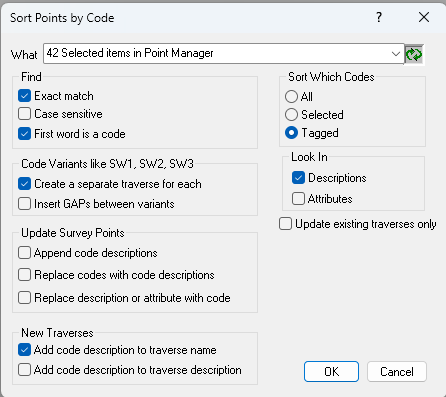
When you choose OK, TPC will create a traverse for each variant as shown here.

Variant GAPS
Variants can also be placed in the same traverse, created for their shared point code, and separated by GAP points. This draws them as separate features in the drawing, but leaves them all in a single traverse.
In the example shown here, the BLDG traverse was created when sorting points into traverses, but all the BLDG variants are in that traverse, separated by GAP points.

Here are the traverses drawn with the GAPS inserted, using the settings of the BLDG code.

Related Topics
Point Codes
Updating Point Codes
Editions
Premium, Professional
|

