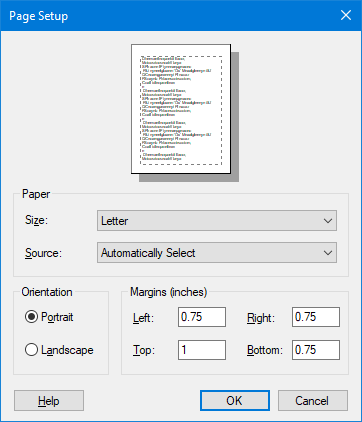
Select the size of paper that the document is to be printed on. Note that you may need to choose Printer and then Properties to set up custom page sizes. You can also access the printer through the Windows Control Panel to permanently set up custom page sizes.
Source
Some printers offer multiple trays for different paper sources. Specify the tray here.
Orientation
Choose Portrait or Landscape. Portrait is usually longer vertically than horizontally. Landscape is usually longer horizontally than vertically.
Margins
Set the amount of blank space or margin you want on each side of the sheet of paper. Note that your printer driver controls the minimum settings that you can use here. If you enter a value that is less the your printer's minimum allowable setting, the printer driver will automatically change the value you entered to the minimal allowed value.
Help
Displays the help topic for the dialog box.
OK
Tells the program to execute the changes you have made.
Cancel
Tells the program to delete any changes you made and return the page to its previous state.