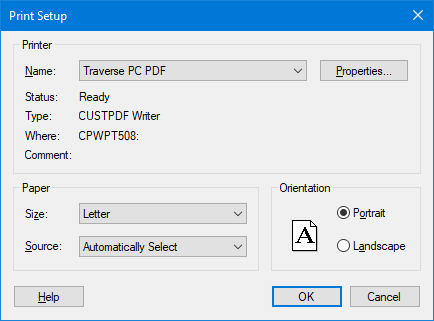
Navigation: Printing Your Survey > Printer Setup > Printer Setup dialog The following options allow you to select the destination printer and its connection. Printer Name Select the printer you wish to print to from the pull-down list of installed printers. Properties Click this button to access the printer options that are available in the printer driver. Paper Size Choose the paper size you wish to use from the pull-down list of sizes available on your printer. Source Choose the paper source from the pull-down list of sources available on your printer. Orientation Choose Portrait or Landscape. Portrait is usually longer vertically than horizontally. Landscape is usually longer horizontally than vertically. Help Displays the help topic for the dialog box. OK Tells the program to execute the changes you have made and takes you to the Page Setup dialog box. Cancel Tells the program to delete any changes you made and return the page to its previous state. Editions All Copyright © 2026 Traverse PC, Inc.