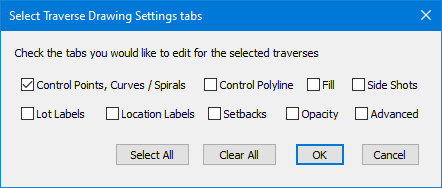
Select the tabs you want to edit for the selected traverses. Only the information in the selected tabs will be applied to the selected traverses.
Why This Dialog
Lets say that you have set the Traverse Drawing Settings for the parcels you want to show in a drawing, with varying line types, line widths, annotations and point symbols. Now you decide to add lot labels to those parcels.
You options are to
•edit the Traverse Drawing Settings of each parcel individually, adding lot labels to each
•or select the parcel traverses and choose the Traverse Drawing Settings command. TPC will display this dialog, from which you will select just the Lot labels tab. Now, only the lot labels will be updated for the selected traverses.