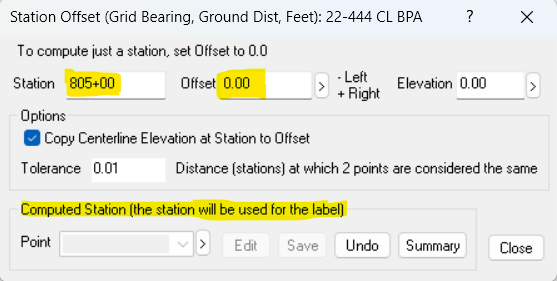
Navigation: Alignments > Stations and Offsets > Adding Single Stations To create individual stations on an existing alignment, use the Station Offset tools and specify an Offset of 0.0. Station Only (2:30) - Create single station points only, without offsets. Enter a Station Only From the alignment traverse you want to create the station on, •Choose COGO, Station Offsets •Enter the Station you want to create, but leave the Offset set to 0.0. •Choose Save. •TPC will prompt you to save just the station point. Choose Yes. If you enter a station value outside of the alignment's beginning and ending station, TPC will prompt you and ask you to enter a valid station value. Related Topics AlignmentsStation Offset Editions Personal, Premium, Professional Copyright © 2026 Traverse PC, Inc.