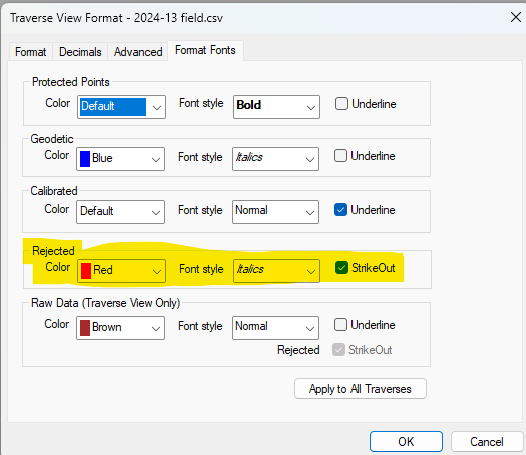
Navigation: Survey Points > Rejecting Survey Points > Displaying Rejected Points You can display rejected points in both the Points Manager and a Traverse View. Here, rejected points are shown in a Traverse View with a red, strikeout font. Font Settings You set the font to use for rejected points in the Format Fonts dialog. From any Traverse View, choose View | Format View and select the Format Fonts tab. From the Points Manager, choose Tools | View | Format View and select the Format Fonts tab. Related Topics Rejecting Survey Points Editions Personal, Premium, Professional Copyright © 2026 Traverse PC, Inc.