TPC 2026
TPC 2026


Navigation: Alignments > Vertical Alignments >

Drawing Vertical Alignments


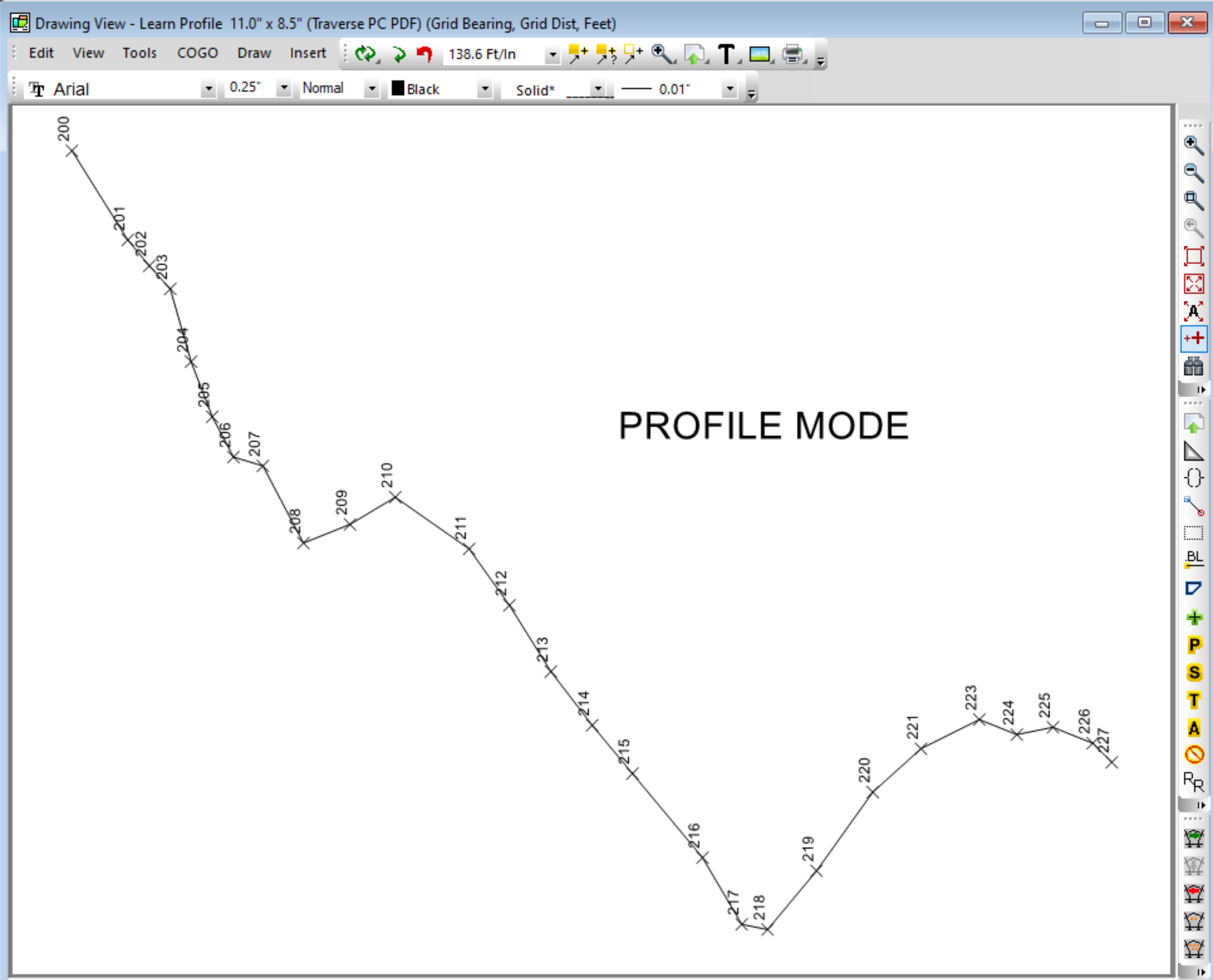
To draw vertical alignments, you change the Drawing View from Plan Mode to Profile Mode. 

Here's a quick look at how this works, but you'll find more in Profiles.


Profile Mode

Drawings can be set to either Plan mode or Profile mode.  In Plan mode, TPC uses the coordinates to draw the alignment.  In Profile mode, TPC uses the stations and elevations to draw the alignment.

See Profile Mode.


Profile Tab - Traverse Drawing Settings

Use the Profile tab in the Traverse Drawing Settings to select a line type, line annotations, point symbol, point labels and color for the alignment.

See Profile Settings dialog.


Drawing Settings - Profile

Each drawing has settings for vertical alignments like vertical curves, vertical ratio and scale. 

See Profile Settings.


Recall Settings

Use the Save Settings and Recall Settings to customize alignment drawing settings, then re-use those settings.


Related Topics

Vertical Alignments
Profiles

Editions

Premium, Professional


Copyright © 2026 Traverse PC, Inc.