|
This topic covers four ways to download TPC.
If you are an IT administer, feel free to download TPC and make that downloaded setup file available to anyone who needs it along with the associated activation key.
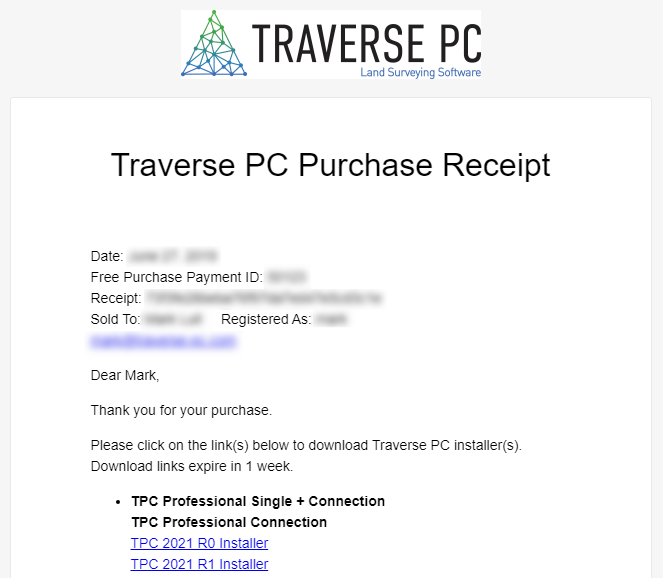
Downloading TPC From a Receipt
When you purchase TPC, you receive a receipt with the download link.
•Just click the link TPC [version] Installer to download the TPC setup file.
•The download link is active for 2 weeks from the date of the receipt. After that, it will no longer work and you will need to choose one of the other download options described here.
Downloading TP via Your License Manager
You can download your version of TPC anytime from your License Manager (login required).
•Open your License Manager in any browser
•Select the Purchases tab
•Click the View Details and Downloads link for the license you want.

Downloading TPC via Our Website
•Open our website, traversepc.com, in any browser
•Select Member Area in the upper right
•Select Downloads from the menu on the right (login required)
•Select the download for your version
•Supported versions take you to the support page for that version where you will find the download. See Downloading TPC via Support Page below
•Non-supported versions will download the setup file directly
•You'll find other downloads on this page like Geiods and the Traverse PC PDF driver
Downloading TPC via Support Page
If you are already running TPC, you can download it from the support page.
•Choose Help, Support (this version)
•Select the Downloads tab.
•Left-click the download link listed on that page
As a rule, you can download the latest maintenance release of your version or the latest Hot-Fix, if directed to do so by TPC's technical support.

Related Topics
Installing TPC
Activating Your License
License Manager
Downloads
|

