|
Some file filters, like ASCII and GNSS (CSV) can be used for more than one file format, making them very flexible.
Saving Settings
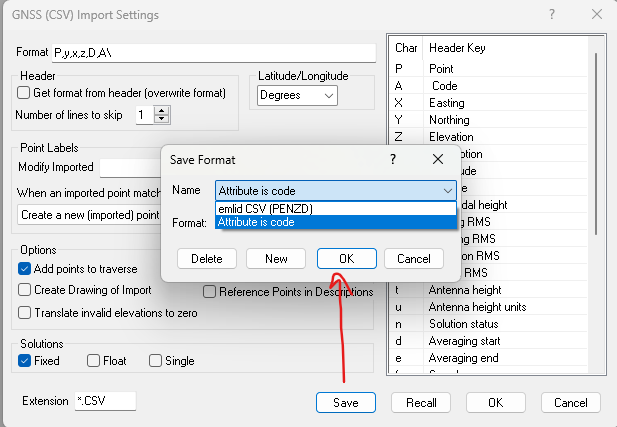
Choose Save, then New to create and save your current settings under a new name.
To overwrite an existing name, select it and choose OK.
TPC stores these settings in the Program Data folder, many under the filename UserAsciiFormats.dat but TPC may use other .dat file names for specific filters.
The saved settings are a snap shot of the settings in the dialog, including any headers you may have modified.
Recalling Settings
To recall settings you saved earlier, choose Recall from the Settings dialog. Then select your saved format from the pull down list and choose OK.
TPC will update the Settings dialog to show the saved settings, including any header keys you may have changed.
Related Topics
Importing Data
Exporting Data
|

