|
Use this dialog to ignore point pairs in the computation of the calibration parameters. If you ignore either point in a point pair, you ignore the pair.
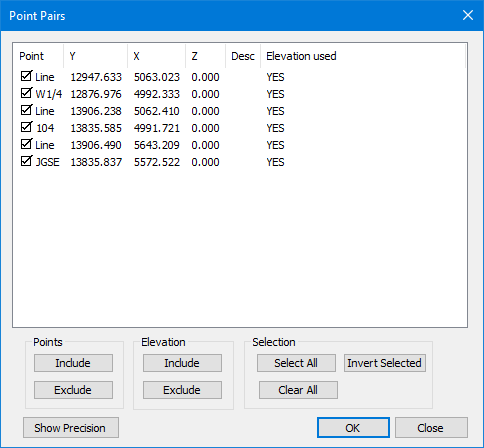
Ignored Point Pairs
Ignored point pairs remain in the set of points used to define the calibration, but are not included in the computation of the parameters.
In the Points dialog, TPC places an asterisk (*) next to the point label of any ignored points and next to the elevation of any ignored elevation.
Ignored Elevation Pairs
For 2D transformations with a vertical shift, TPC computes the horizontal transformation as it normally would if the point pairs were not ignored. However, it doesn't use the ignored elevation pairs in the computation of the vertical shift.
For 3D transformations, like the 3D Conformal transformation, TPC treats ignored elevation pairs like ignored point pairs. They are not used at all in the computation of the calibration parameters.
Points
First select one or more points in the list above then choose Include or Exclude. TPC puts a [check] box next to the included points.
You can also double click any point in a point pair to Included or Excluded the pair.
Elevation
TPC displays Yes for elevation pairs that are included and No for elevation pairs that are excluded.
Selection
Use these buttons to select all, none or invert the selection in the points above.
Show / Hide Precision
Press this button to display and edit the default precisions.
Horizontal X/Y
Enter the default horizontal precision for TPC to use. TPC does not currently allow you to specify horizontal precisions for individual points.
Vertical Z
Enter the default vertical precision for TPC to use. TPC does not currently allow you to specify vertical precisions for individual points.
OK
Return to the previous view or dialog and retain the changes.
Cancel
Returns you to the previous view or dialog without making any changes.
Related Topics
Calibrating Data
Editions
Premium, Professional
|

