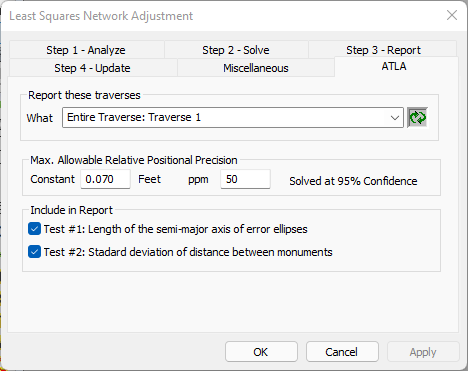
The ATLA dialog shown here is available in the Professional Edition of TPC as part of the Least Squares Network tool.
In this dialog, you will select the boundary traverse(s) and ALTA options to use when you turn on the [x] Relative Positional Precision option in the Step 3: Report tab.
What
Select the traverse or traverses you want to test for meeting the Minimum Standard.
Each selected traverse will pass if all of its members pass and will fail if any one of its members fails.
Max. Allowable Relative Positional Precision
Use the values identified in the Minimum Standard.
For the 2021 Minimum Standard, these values are 0.07’ or 0.02 m and 50 ppm as determined by a Least Squares solution at 95% confidence interval.
Include in Report
Select with test(s) from the Minimum Standard you want to do.
You may want to run both tests in case one of them fails.
TPC identifies each test in the report using the names displayed here in this dialog.