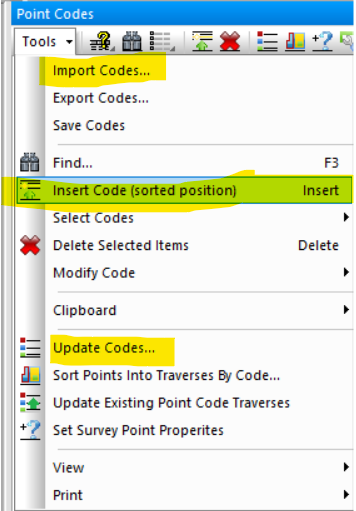
Navigation: Point Codes > Point Codes Manager > Inserting Point Codes There are three ways to create new codes in the Point Codes Manager. •Choose Tools | Insert Code (sorted position). When you enter a code, TPC will move the code to its sorted position based on the name of the code. •Choose Tools | Import Codes... and import the codes from a code file. •Choose Tools | Update Codes... and TPC searches the points in the survey for any unique codes. Any codes that you insert are written to the point code file associated with the survey when you close the Point Codes Manager or close the survey. Related Topics Point CodesInsert CodeImport Codes...Update Codes... Editions Premium, Professional Copyright © 2026 Traverse PC, Inc.