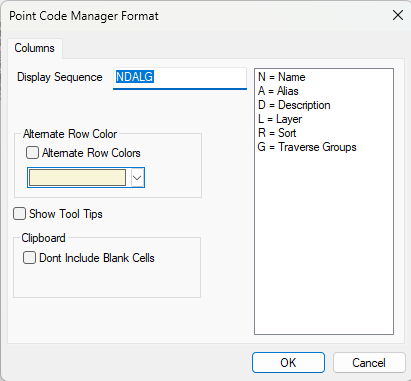
Navigation: Point Codes > Point Codes Manager > Formatting the Point Code Manager To format the Point Codes Manager, choose Tools | View | Format View. Columns The following columns can be displayed in the Point Codes Manager; Name Displays the code name (CL or PP for example) Description Displays the code Description (Center Line or Power Pole for example) Sort Displays Yes or No. If Yes is displayed, the code will sort points by nearest neighbor. If No is displayed, the code will sort points numerically. Layer Displays the Traverse Layer (if any) that will be assigned to the resulting traverse. Alias Points with this code are added to the Alias traverse when traverses are created. Related Topics Point Codes Editions Premium, Professional Copyright © 2026 Traverse PC, Inc.