|
TPC stores drawing objects, called blocks, in folders. These folders and the block files in them form the Object Library. The folders help you identify and use the object library that ships with your edition of TPC. If your edition allows you to create your own blocks, the folders will help you organize the blocks you create.
The Blocks Folder
TPC creates a folder called Blocks in the program data directory. The Blocks folder does not contain any blocks itself, but it does contain all of the block folders used by the object library. North arrows are stored in the North Arrow folder, point symbols in the Point Symbol folder, etc.
When you create a new block, you can place it in an existing folder, or create a new folder and store related blocks in it.
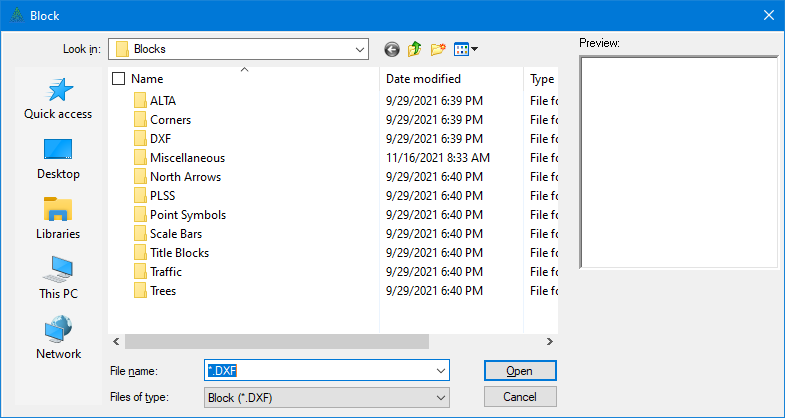
Adding Your Own Folders
You can create your own object folders like the Your Own Symbols folder shown here (right-click in the large window and choose New | Folder), then create and store your own drawing objects as needed.
Block Files
Each block in TPC has both a file name and a block name. The Object Library displays the block file name. The block name itself is stored in the block file and is used for compatibility with other CAD programs and in the Point Symbol list within TPC.
The Point Symbol folder shown here illustrates how TPC uses the block file name to describe the block. 2port hydrant.dxf is the block file for a found 2 port hydrant while 2 port hydrant proposed.dxf is the block file for a proposed 2 port hydrant. If you were to open this file in a text editor, you would find the block name 2Port_Hydrant using the underscore to maintain block name compatibility with other CAD programs. When you select a block for inserting, you identify the block you want by its file name.
Cadastral Tools
If you are doing cadastral surveys, check out the BLM Corners folder. In contains ready-to-use corner blocks down to 16th corners.
Related Topics
Blocks
Editions
Personal, Premium, Professional
|

