|
Windows 10 is a major departure from previous versions of Windows because it enforces security issues at a higher level. In this topic, we'll discuss some of the ways this affects TPC running on a Vista computer.
User Account Control
Windows Vista introduced us to something called User Account Control or UAC. UAC was built into Windows XP but was not enforced as it is in later versions.
UAC limits access to certain parts of your computer to someone called the Administrator. To access these areas, you must have Administrative Rights. If you don't have them, you can't access that area. The idea is to limit the exposure of critical parts of your computer to potentially harmful sources like viruses and hackers and you. As a user, this can be frustrating.
Fortunately, TPC understands the issues surrounding UAC and works behind the scene to navigate you through them. For the most part, you should be able to make the switch from running TPC on a Windows XP computer to running it on a Windows 7 or later computer with little or no interruption.
Program Data Folder
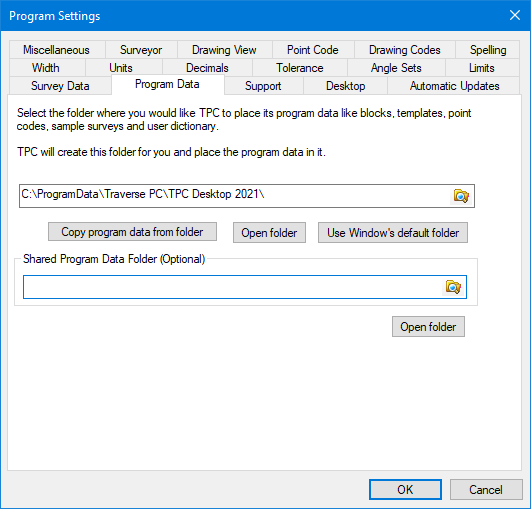
By default, TPC places all of its program data in \ProgramData\Traverse PC\TPC Desktop 20xx\. Within this folder are sub-folders for Blocks, Templates and Point Codes. You'll also find the user defined symbols, line types, dictionary, traverse groups and other user editable program data files.

The folder is available to everyone who uses the computer TPC is installed on. It is Vista and later Windows OS's preferred location for files that a user might edit to personalize or customize an application. TPC lets you select an alternate folder in the Program Data Folder dialog. To access the dialog, choose Tools | Program Settings from any view then left click the Program Data tab.
Survey Data Folder
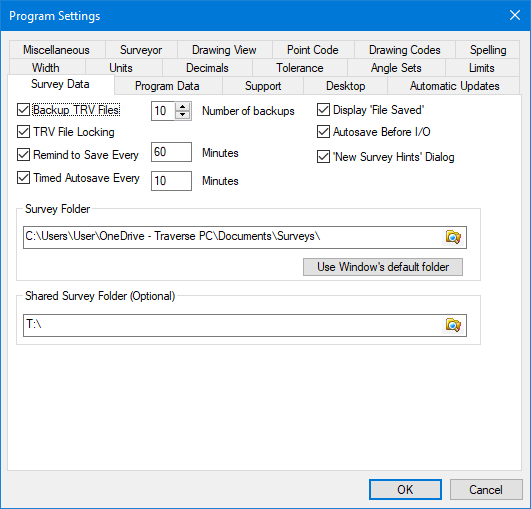
Surveys are stored in the Survey Data folder. In Windows 7 and later, this is \Documents\Surveys\. Each user has their own Documents\ folder, so your surveys are your own unless you put them in a shared folder. TPC lets you select an alternate folder in the Survey Files dialog.
Groups
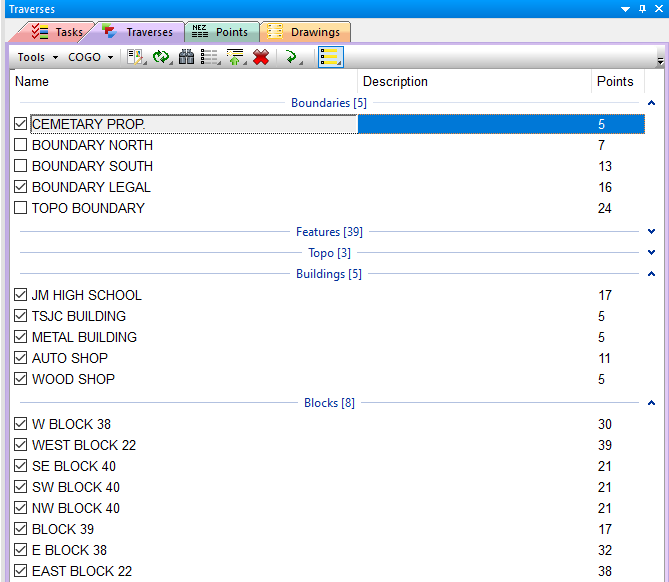
Windows Vista and later Widows versions use Groups to organize items in a view. The file folders allow you to group files by name, size or modified date. TPC uses this group feature to give you Traverse Groups in the Traverses Manager as well as Drawing Groups in the Drawings Manager and Surface Groups in the Surfaces Manager.
Importing and Exporting Data
If you haven't done so yet, just plug your data collector into a USB port on your computer. Most data collectors become another drive on the computer, allowing you to Import and Export data directly to and from TPC to and from the data collector. No more uploading, downloading or synchronizing data.
You need to be aware that importing data this way from the data collector does not automatically copy the file from the data collector to the computer, giving you a backup or archive of the file. Instead, the file is opened, read then left on the data collector. You may want to copy the files manually so that they are backed up on your computer as well as on the data collector.
|

