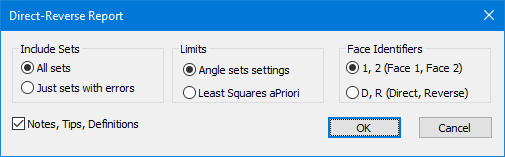
Navigation: Traverses > Ground Traversing > Using Data Sets > Traverse Direct-Reverse Report > Traverse Direct Reverse Report command This command initiates the Traverse Direct-Reverse Report that shows angle set computations and any errors. Executing the Report To execute this report from the Traverses Manager, •Select the traverse •Choose Tools | Reports | Direct-Reverse Report To execute this report from a Traverse View •Choose Tools | Reports | Direct-Reverse Report Related Topics Traverse Direct-Reverse Report Editions Premium, Professional Copyright © 2026 Traverse PC, Inc.